How to create a design system with Claude
Defeat AI-Slop, and build a design system for your brand to create slides, docs, and interactive apps.
 By Mahmoud Al Juaidi
If your Claude visuals never looked on-brand every time your tried creating one, struggled with teaching your AI your brand look, you're in good company.
Over the last 3 years, most founders tried Gemini, ChatGpt, Claude, and others to assist with content creation, and only a few people managed to make visuals that look professionally designed, while most have got only AI slop and gave up. I used to struggle with this myself all the time.
The fact is, prompting AI to produce for a specific branding approach is hard, and the process often involved using a mix of Chats, Projects, Skills, and a lot of brand context via connectors or dropped into the conversation.
Personally, the better the AI becomes the more I become process-oriented. After all, these tools are built and designed with logic. So, my approach to creating on-brand content has changed. The main driver of this is a Design System.
Design systems are incredibly useful to eliminate AI slop, and help AI assistants understand your brand direction, colors, and rules consistently.
Let's begin.
Why a Design System
When you design a new brand identity, you used to get a Brand Guidelines PDF file with all the rules of how your brand works. Think of a Design System as a Brand Guidelines 2.0, accessible by Claude always.
Anything you create with Claude Design will use your brand's colors, typography, and component patterns.
Here is where Claude can use your design system:
- Create interactive documents
- Mobile app screens visuals
- Prototypes and mockups
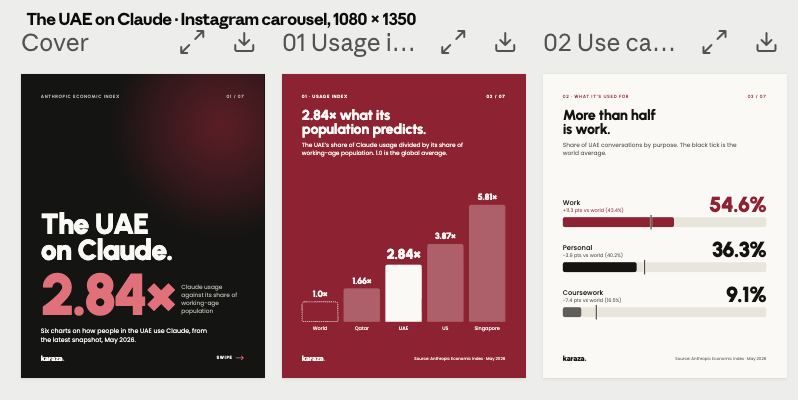
- Instagram carousels
- LinkedIn carousels
- Create slide decks
- YouTube posts
- Landing pages
- Dashboards
I can keep going.
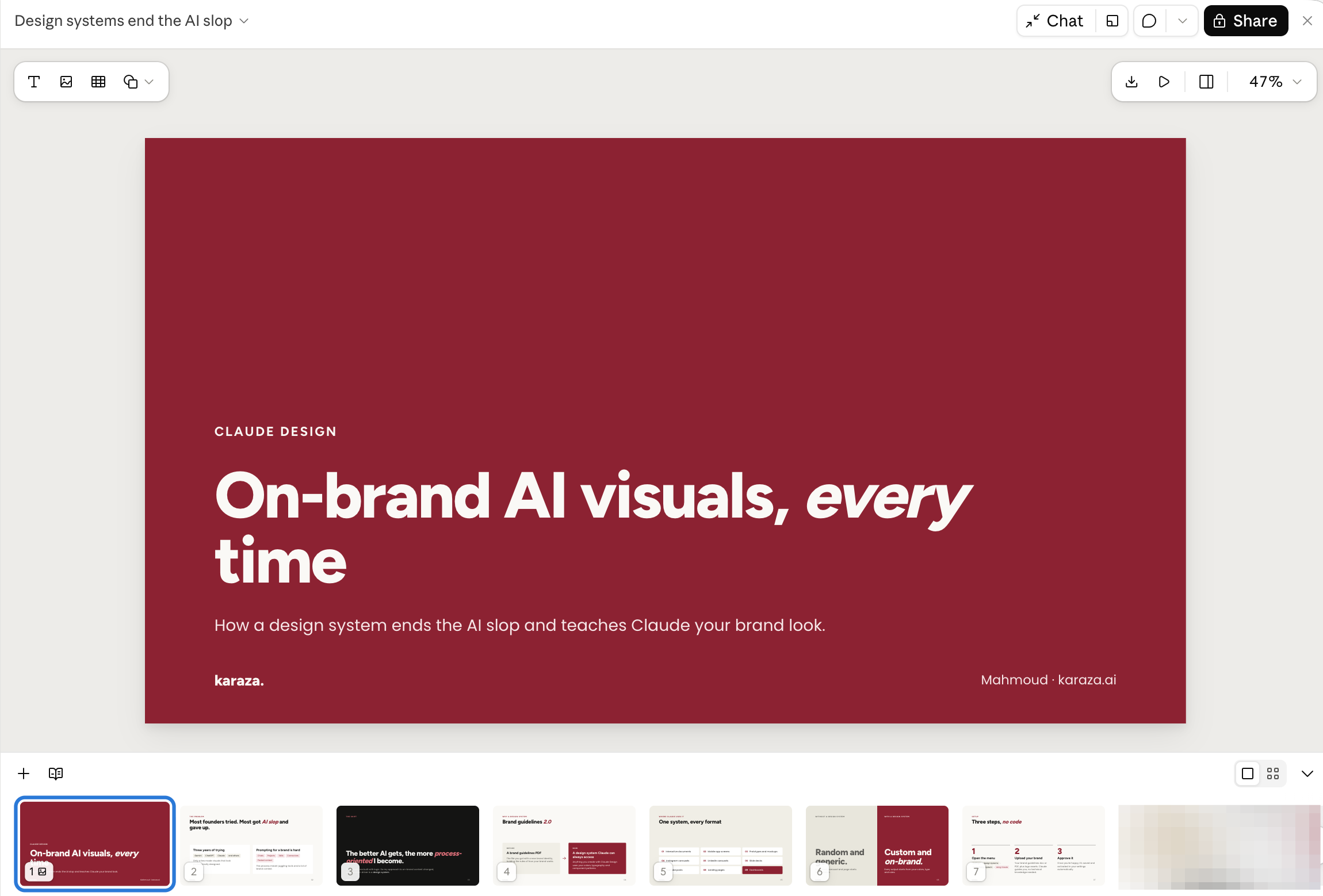
If you don't have a design system in place, all of the above will be random and generic. If you have a design system in place, all of the above will be custom and on-brand.
Design system setup
First things first, navigate to Settings > Design Systems > + New Design System > Using Claude.
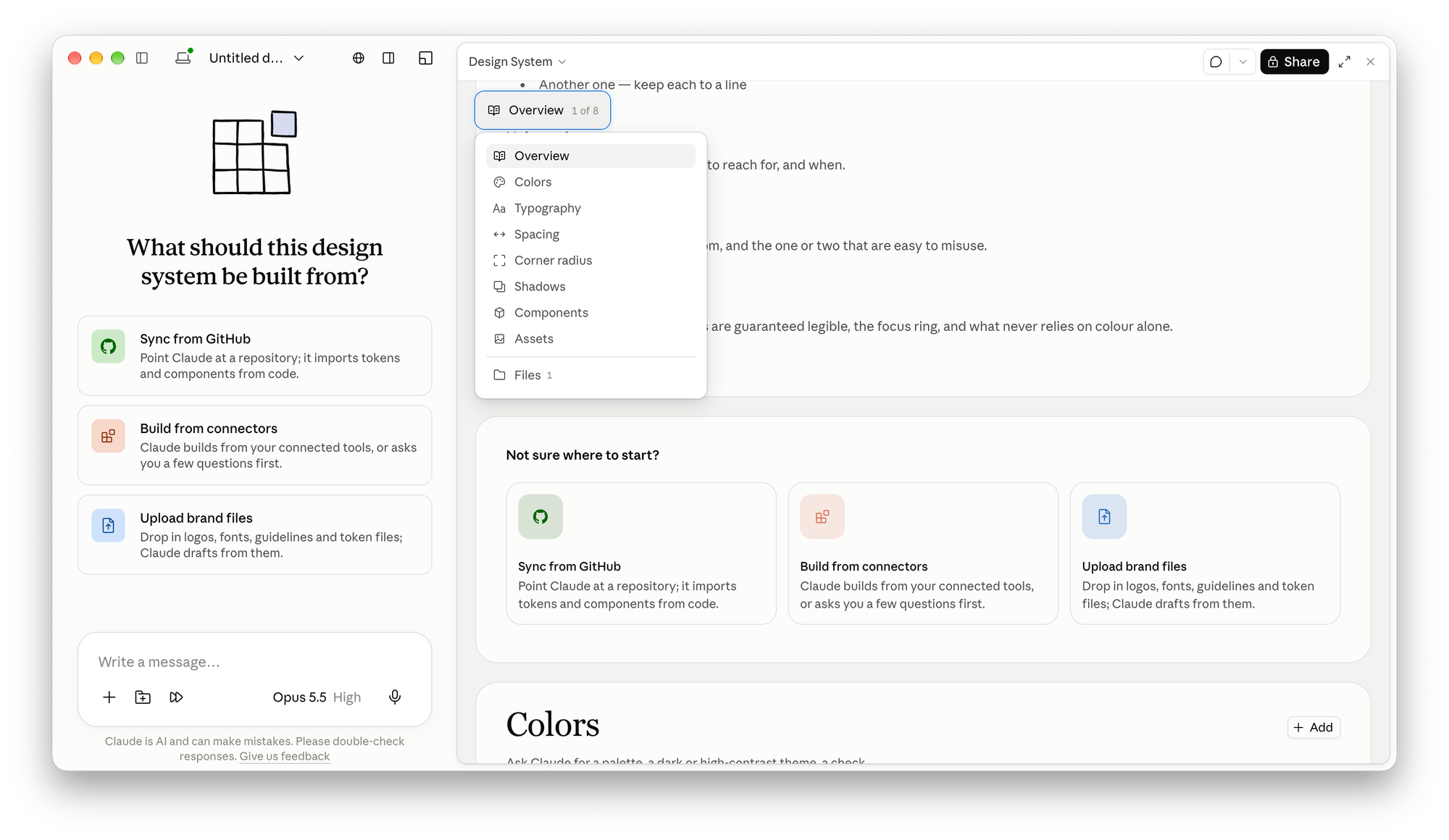
What's useful, is that Claude Guides you on how to create it even if you have no technical knowledge. Most brands have a standard brand guidelines doc or pdf which you can upload, along with your logo assets, and Claude will move with creating the design system right away.
Once you're happy with it, it is automatically saved and activated in your settings.
For my practice, I created a Karaza-Garnet Design System:
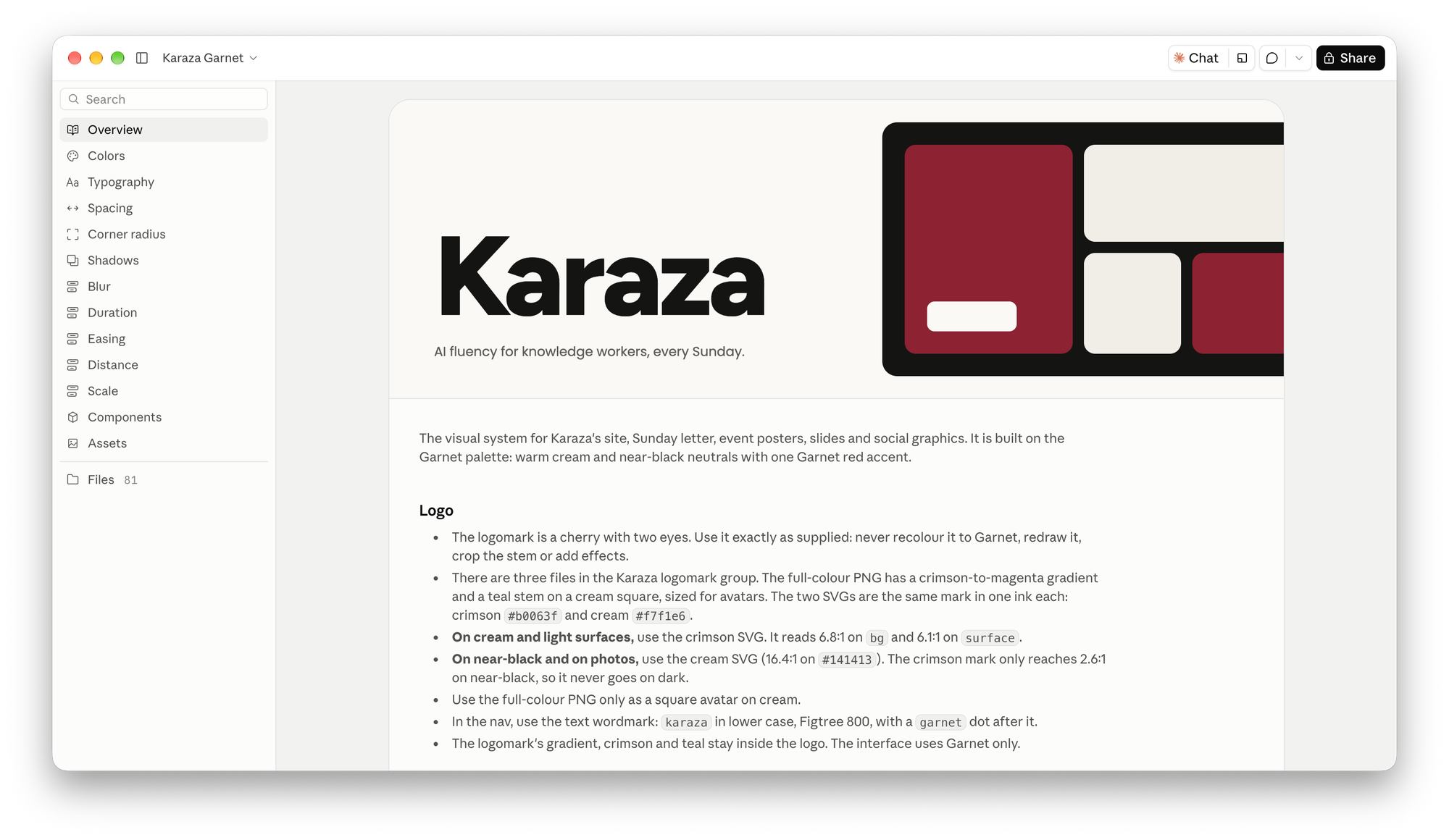
You'll notice I have additional rules on the left side like Scale, Easing, Duration, and Blur. I made these rules specifically for whenever I create an artifact for a landing page, a prototype, or a dashboard.
Note
"this design system will be used to create artifacts, docs, slides, social media content, graphics, and other on-brand content, prototypes, and landing pages"
Customize as per your use case, and explore with Claude how to create them.
Using Claude Design
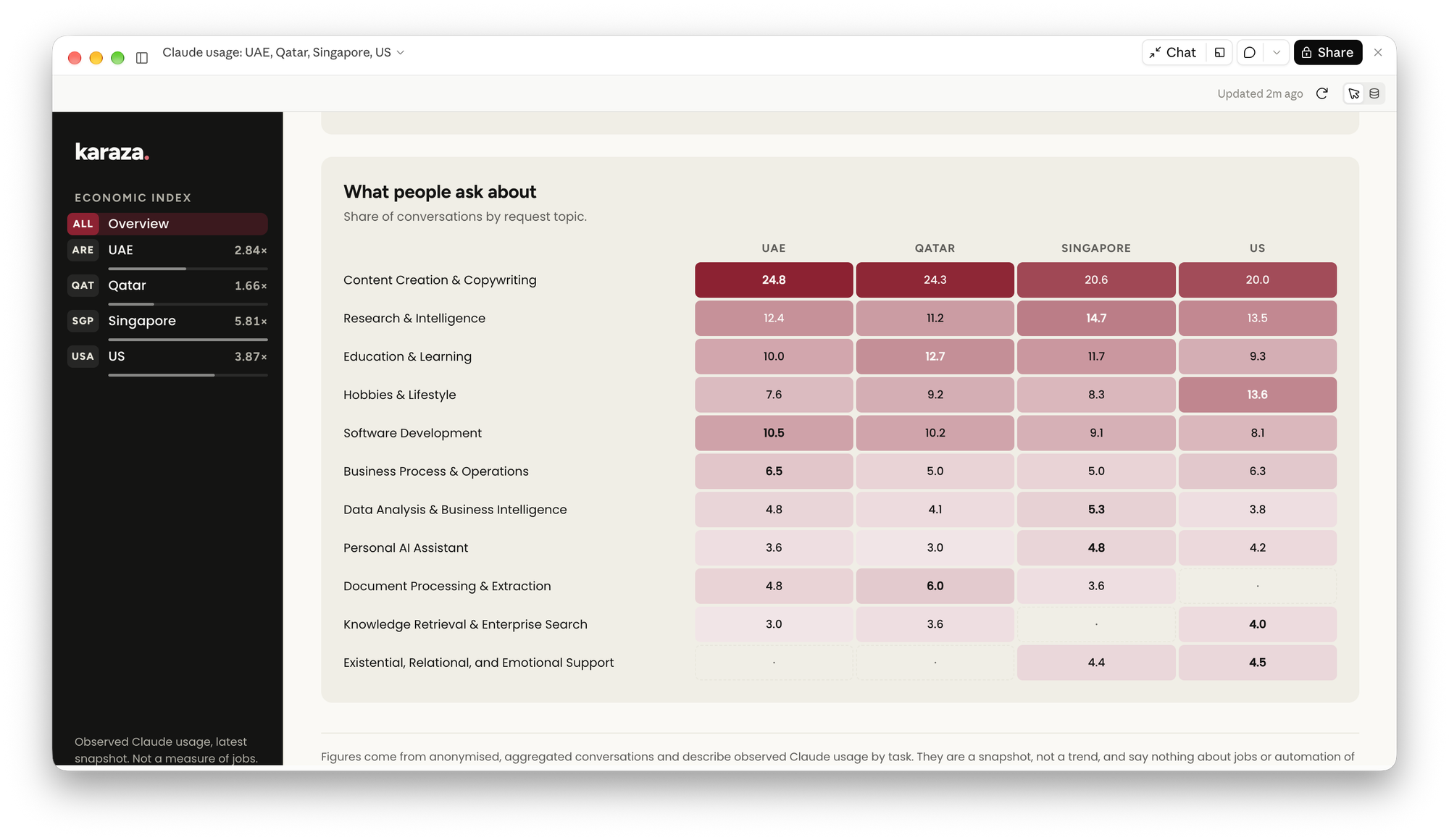
Now that I have created a design system, I can create a variety of tools and visuals using the same design system every time. Let's explore how it looks:
Dashboards
Slide Decks
Carousels
In summary, the whole process of creation gets easier once you and Claude know what your brand should look like.
By creating a unified design system, you'll skip the AI slop creation experience, you'll remain in control of your AI outputs, and your audience will thank you for it.
Bonus: you might find a lot of subscriptions redundant after you gain more practice, and save some money 👀.
Try out Claude Design, and prompt your way to creating your system through natural language, no specific detailed prompts are required.
Until next time,
Mahmoud
One useful Claude idea at a time
Practical Claude ideas for your work, the UAE AI stories worth your time, and first notice of trainings.
Keep reading
All articles
Design
Lovable Chat: Brainstorm ideas, create, and improve existing sites.
If you were using Claude x Lovable and hopping from tool to tool for brainstorming and improvement, Lovable Chat is useful.

Design
Stop Planning. Start Prototyping.
Planning feels like progress. It has the structure of work, the spreadsheets, the timelines, the strategy documents that accumulate in your Notion workspace while the idea waits. But for most founder

Design
Validate Your Ideas With Thinking Tests
Here's a test worth running on your next business idea: describe it to Claude and ask it to summarize what you said. If the summary sounds like your idea, you're in good shape. If it sounds vague, ge